
rose
haired
sheep
🐝 <Limpkin>
about
Learning the ropes of the Godot game engine with a polyomino-slotting prototype. Loosely inspired by the board game Patchwork.
code
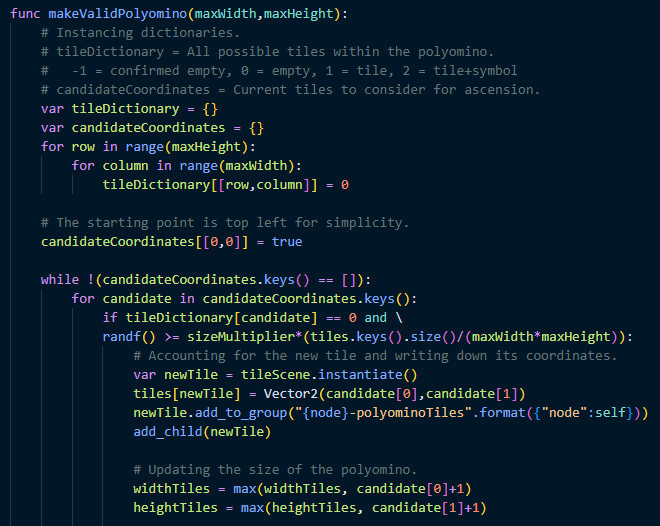
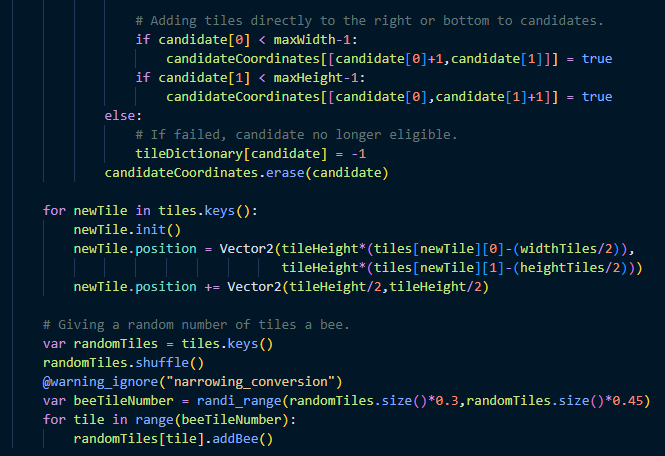
The demo generates random polyominos with a minimum and maximum size which assign a random terrain to each tile and scatter a few bumblesheep around. These can then be clicked on (which attaches them to the cursor), rotated, and slotted in a square grid as long as all tiles of the polyomino fit in.
retrospection
what did i do right?
I am kind of impressed I started using not just signals (what I would describe as receiver-agnostic information transfer tools), but custom signals such as game-start requests in my very first Godot project. There’s also some code for randomly determining a tile pattern and dynamically loading a texture for it, that’s pretty neat.
what would i do different?
At this point I was clearly not terribly knowledgeable about the ins and outs of Godot, and it shows. I instantiated everything from code, which is a great practice for more flexible elements but is not necessary for scenes that always exist in the tree. It’s a lot harder to discern at a glance how exactly the project works when I have to rummage through the code to figure out what the core tree structure is supposed to look like. I have also never declared variable types, which is something I tend to avoid nowadays.
Also, I had no idea how to set up Godot’s native viewport scaling, so I dedicated a not-insignificant percentage of the code to scaling all the different UI elements. The game resolution is 2880x1620 (why?). Clearly I didn’t know what a Control node was either, so my menus and buttons are Node2Ds and Sprite2Ds+Area2Ds respectively. The buttons also show I wasn’t aware of the concept of inheritance, as each of them had a completely separate script.